Start with a handover that keeps going wrong
Perhaps a client approves an old drawing because the latest version is hidden in an email thread. Perhaps the team loses time asking who is waiting for feedback. Those are useful starting points for a portal brief because they describe work that people actually need to complete.
A dashboard full of totals may look impressive, but it won’t fix an unclear handover by itself. Write down the task, the people involved and where the uncertainty appears. Then decide which part a shared workspace should own.
Give each document a job
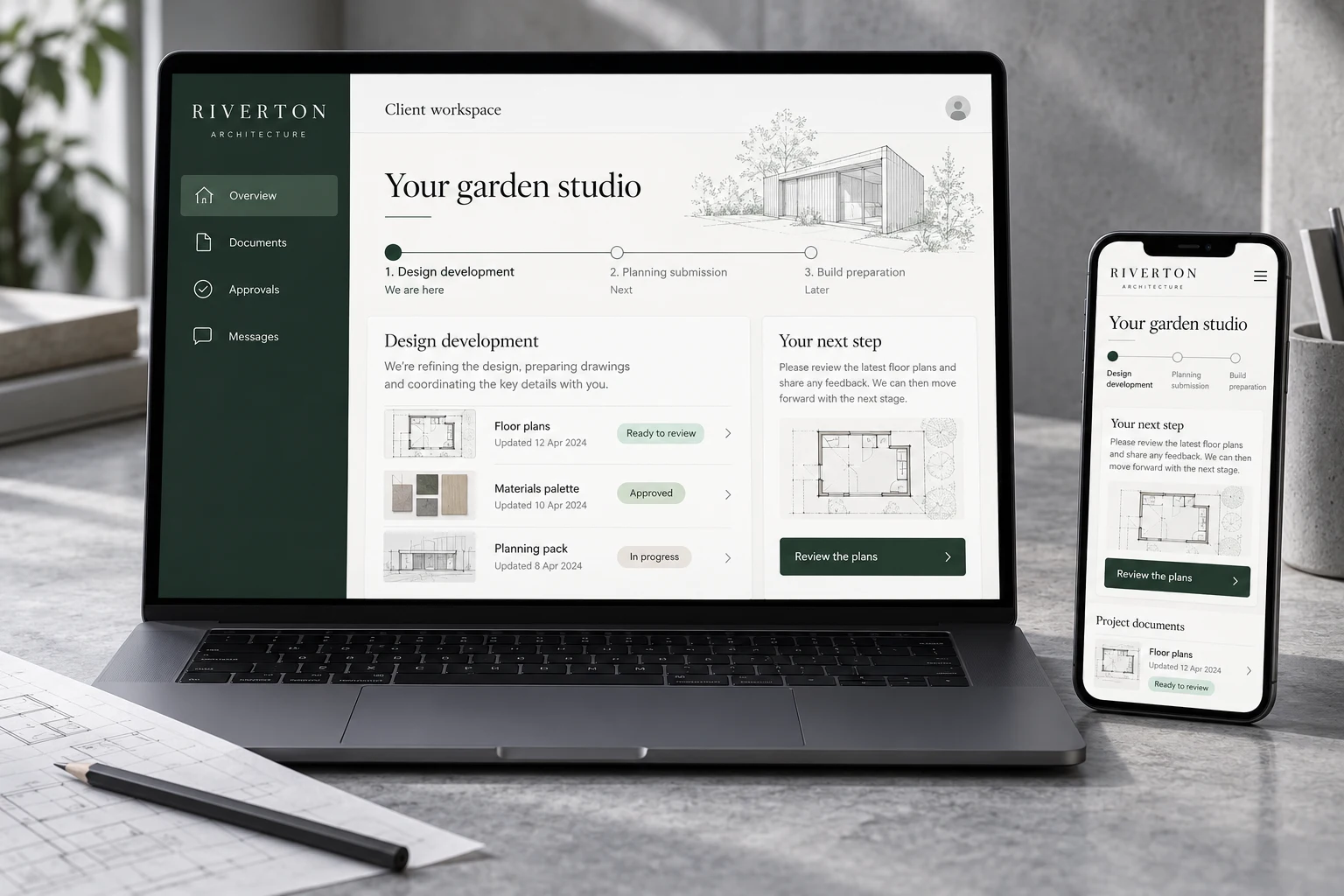
A filename alone rarely explains whether something is current, approved or still being prepared. Show enough context for a person to know what they’re looking at and whether they need to act.
For a fictional architecture project, that could mean a floor-plan version with a review request and a clear place to leave feedback. The workspace should make it hard to mistake that for a superseded drawing. File storage, version history and approval records need to be scoped deliberately.
Agree who can see and change what
A client, a project team member and an administrator may need different views. Write down those roles before the interface is designed. Include what happens when someone leaves the company or a project closes.
Sensitive material needs more than a hidden navigation link. Access controls have to be enforced by the underlying application, with appropriate testing. Account recovery, file access and the handling of personal data belong in the build brief rather than in a conversation after launch.
- Client
- Their own project and its review requests.
- Team
- Assigned work and the next handover.
- Administrator
- Accounts, permissions and workspace settings.
Example roles. The exact permissions follow the agreed specification.
Make the next step visible
A status becomes useful when it tells someone what to do. “Waiting” leaves the responsibility open. “Please review the materials palette” gives a client a specific action and gives the team a clearer handover.
Keep notifications tied to useful events. A portal that sends a message for every small change can create another busy inbox. Agree which updates need an alert and what someone should find when they follow it.
Scope a first version people will use
Start with the most important workflow and describe how success will be judged. That might be fewer requests for missing files, a clearer approval record or less time explaining the project status. Choose measures you can actually observe, rather than promising an arbitrary saving.
Pointed builds bespoke portals and internal tools around an agreed specification. We can help work through the roles, screens, data and integrations before quoting the build. Ongoing management, connected services and future changes are agreed separately so the responsibilities stay clear.

We build websites and web apps for SMEs, alongside content, branding, campaigns and business tools. Our journal explains the thinking behind the work.
Meet Pointed